Shippost

AI command center for X


without the content chaos.

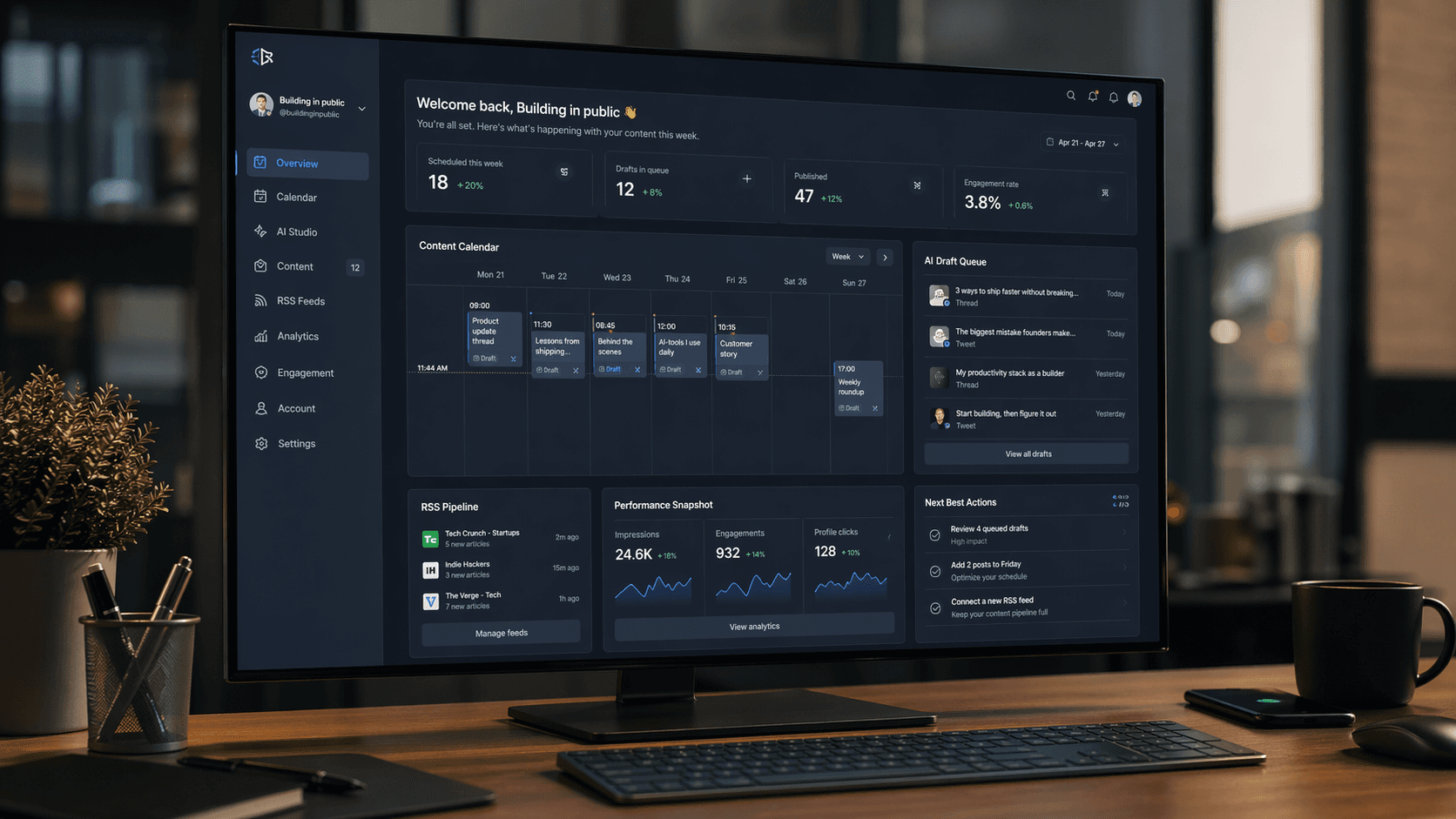
Shippost turns ideas, RSS feeds, and AI prompts into scheduled posts with a dashboard built for creators, founders, and teams publishing on X.

0k+

posts shipped

0.0h

saved weekly

0.0%

jobs delivered

A workflow that feels engineered, not improvised.

Shippost combines planning, generation, and publishing in one operating layer.

Composer First

Write, refine and preview each post from one focused editor.

Multi-View Planner

Switch between list, day, week and month without losing context.

AI Tone Control

Generate drafts with explicit tone and framework constraints.

Connector Pipelines

Turn RSS and external sources into review-ready drafts.

Review Queue

Keep pending content in one stream before scheduling.

Signal Stats

Track streaks, pace and category trends from one dashboard.

First-run onboarding

From X connection to first scheduled post in one guided run.

The setup asks who you are, generates a first X-native draft through your AI function, previews it like a real post, then schedules it before opening the dashboard.

Introduction

Describe yourself

Generate first post

Schedule

Preview onboarding

Planner Grid

Read your full publishing map
in under 10 seconds.

Switch between list, day, week, and month views while keeping the same layout logic.

Week 15 - April 2026

Scheduled / Published

Mon 06

09:00 Product note

15:30 Build log

Tue 07

08:45 Case study

Wed 08

11:00 Founder thread

Thu 09

10:15 Release update

Fri 10

13:00 Community pulse

Sat 11

No slot

Sun 12

17:00 Weekly recap

Voice Lab

AI drafts that keep your tone intact.

Build prompts from frameworks, then approve or reject each output in one clean review loop.

#1

Launch angle

We cut review time by 42% with a lighter workflow and tighter approval loops.

#2

Quick insight

Small teams scale faster when writing, scheduling and publishing happen in one flow.

#3

Weekly takeaway

Consistency beats intensity: publish often, refine every week, and keep signal high.

#4

Founder note

The best social workflow feels like your IDE: focused, fast and repeatable.

Connector Pipelines

Convert external signals into ready-to-publish drafts.

RSS feeds and APIs become curated post ideas that enter your review queue automatically.

Connectors

Scheduled pipelines that keep your editorial flow active.

New connector
NameTypeTriggerSource URLStatsStatus
AI Engineering FeedRSSDailyhttps://example.com/ai/feed.xml39 drafts - 11 runsActive
Product changelog syncAPIWeeklyhttps://api.example.com/changelog18 drafts - 8 runsActive

Signal Lens

Analyze posting patterns before you schedule.

Surface timing patterns, post frequency and topic consistency to feed your next publishing cycle.

Signal Lens Snapshot

91%

Schedule consistency

428

Posts analyzed

Insights Layer

  • Topic saturation alerts
  • Time window suggestions
  • Cadence drift detection
  • Direct planner sync

How the Shippost loop works

A stable editorial loop from idea to publication with no context switching.

Start a free workspace
1

Define your voice profile

Set tone, framework and topic boundaries once.

2

Generate and curate drafts

AI proposes content; your team validates the final message.

3

Schedule with visual modes

Pick day/week/month views to distribute load and avoid dead zones.

4

Publish and review feedback

Track outcomes in stats and iterate your next cycle.

Used by teams that ship in public

Real operators using Shippost to stay consistent on X.

Maya

@mayabuilds

Shippost gave us a repeatable publishing process in less than two days.

Noah

@noahships

The week view and review queue removed 80% of our posting chaos.

Eli

@eliproduct

It feels like a command center, not a generic scheduler.

Sonia

@soniawrites

AI drafts are useful because tone controls are explicit and predictable.

Leo

@leofounder

The connector pipeline keeps our editorial backlog always full.

Rina

@rinateam

We finally have one place for planning, writing and publishing.

Frequently asked questions

Everything you need before launching your first workflow.

Yes. Drafts can stay in review until your team validates them manually.